Nord VPN for PC: How to Download, Install, and Use It
Learn how to get NordVPN for a Windows PC, install the app, connect securely, and understand key considerations before you start.
Nord VPN for PC is available as a Windows app for compatible computers. To get started, download it from NordVPN’s official Windows download page, install it, and sign in. You’ll need a PC running Windows 10 (64-bit) or Windows 11, plus an internet connection. Once connected, the app routes your internet traffic through a VPN connection, helping protect it from local network snooping.
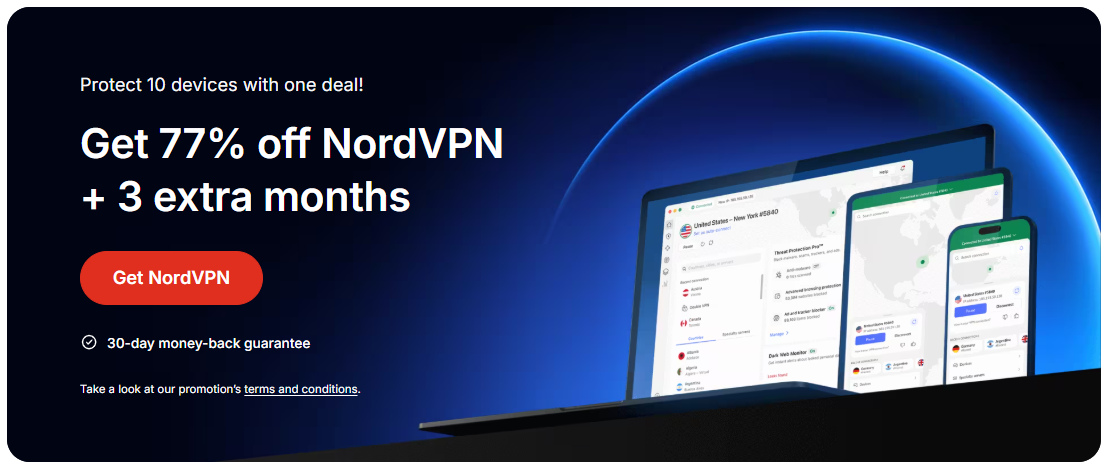
Editor's pick: NordVPN — fast, secure VPN — Strong encryption, a no-logs policy and apps for every device. 30-day money-back guarantee. Get NordVPN →
NordVPN for PC: plan options at a glance
| Option | Cost | Windows app | VPN access | Best for |
|---|---|---|---|---|
| Monthly plan | Higher per-month price | Supported | Included | Short-term use |
| One-year plan | Lower per-month price | Supported | Included | Regular use |
| Two-year plan | Lowest per-month price | Supported | Included | Long-term use |
| Free plan | Not available | No free NordVPN plan | Not included | Not applicable |
| Trial access | Availability varies | Check current offer | Check current offer | Testing eligibility |
| Money-back period | Refund terms apply | Supported purchase | Included during eligible period | Trying a paid plan |
Compiled November 2026; check the provider's site for current details.
| VPN | Obfuscation | From / month | Plan | Free plan | Refund | Alipay | UnionPay | Crypto | Website opens in China | Trustpilot | |
|---|---|---|---|---|---|---|---|---|---|---|---|
 NordVPN | Turn on manually Obfuscated Servers / NordWhisper | $3.49/mo | 27 months: $94.23 | No | 30 days | ? | ✗ | ✓ | ✓ | ✗ Blocked | 4.2/5 (51,628 reviews) |
 ZoogVPN | Turn on manually Shadow | $2.49/mo | 27 months: $59.99 | Yes | 7 days | ✓ | ✓ | ✓ | ✓ | Official site blocked; our special link opens (4.4 s) | 4.2/5 (195 reviews) |
 ExpressVPN | ✓ On by default all servers | $3.00/mo | 28 months: $84 | No | 30 days | ✗ | ✗ | ✓ | ✗ | ✗ Blocked | 4.4/5 (29,706 reviews) |
 Surfshark | ✓ On by default Camouflage, with OpenVPN | See site | See site | No | 30 days | ✗ | ✗ | ✗ | ✓ | ✗ Blocked | 4.3/5 (31,823 reviews) |
 Proton VPN | Turn on manually Stealth, free plan too | $2.99/mo | 12 months: $35.88 | Yes | 30 days | ✗ | ✗ | ✗ | ✓ | ✗ Blocked | 2.1/5 (1,040 reviews) |
 Astrill VPN | Turn on manually StealthVPN / OpenWeb | $12.50/mo | 24 months: $300 | No | See site | ✗ | ✗ | ✗ | ✓ | ✗ Blocked | 1.3/5 (110 reviews) |
 Private Internet Access | Turn on manually Shadowsocks, OpenVPN only | $2.03/mo | 40 months: $81.2 | No | 30 days | ✗ | ✗ | ✗ | ✗ | ✗ Blocked | 4.2/5 (11,033 reviews) |
 CyberGhost | Turn on manually selected servers | $2.19/mo | 28 months: $61.32 | No | 45 days | ✗ | ✗ | ✗ | ✓ | ✗ Blocked | 4.0/5 (24,178 reviews) |
 PureVPN | Turn on manually switch to OpenVPN | $1.69/mo | 60 months: $101.55 | No | 31 days | ? | ? | ✗ | ✓ | ✗ Blocked | 4.4/5 (17,994 reviews) |
 AdGuard VPN | ✓ On by default TrustTunnel | $2.99/mo | 24 months: $71.76 | Yes | 30 days | ✓ | ✗ | ✓ | ✓ | Official site blocked; our special link opens (3.7 s) | 4.3/5 (290 reviews) |
 Mullvad | Turn on manually QUIC / Shadowsocks / LWO | $5.61/mo | €5/mo | No | 14 days | ✗ | ✗ | ✗ | ✓ | ✗ Blocked | 3.2/5 (192 reviews) |
 Windscribe | Turn on manually Stealth / WStunnel | $5.75/mo | 12 months: $69 | Yes | See site | ✗ | ✗ | ✗ | ✓ | ✗ Blocked | 4.7/5 (13,355 reviews) |
 StrongVPN | Turn on manually Scramble, OpenVPN TCP | See site | See site | No | 30 days | ✓ | ✗ | ✗ | ✗ | ✗ Blocked | 4.4/5 (2,695 reviews) |
 LightXtreme 闪连 | Not listed | $7.08/mo | 12 months: $84.99 | Yes | 30 days | ✓ | ✓ | ✓ | ✓ | ✓ Yes (3.5 s) | No page |
Prices checked 2026-11-10 on each vendor's pricing page (cheapest long plan, USD). Check the vendor's checkout for the final price.
Obfuscation checked 2026-11-14 on each vendor's site and help center: "on by default" = nothing to set; "turn on manually" = switch protocol or mode in settings; "not listed" = the vendor describes no obfuscation.
Payment methods checked 2026-11-10 on each vendor's payment pages: all 14 take cards and PayPal; ✗ = not listed, ? = the vendor's own pages disagree.
China access: whether the official website opens from mainland China networks (tests the website only, not the VPN connection). Last checked 2026-11-18 01:02 Beijing time.
Trustpilot score and review count checked 2026-11-10.
Is NordVPN available for PC?
Yes. NordVPN offers an app for Windows PCs and laptops. The official Windows download page lists support for Windows 10 (64-bit) and Windows 11. Check your Windows version and system type before downloading to make sure your computer meets those requirements.
The service also offers apps for other platforms, including macOS, Linux, Android, and iOS, as well as some smart TVs. If you use more than one kind of device, check NordVPN’s official download page for the relevant app.
| What to check | Details |
|---|---|
| Supported Windows versions | Windows 10 (64-bit) or Windows 11 |
| Internet access | Needed to download the app and sign in |
| Download source | NordVPN’s official Windows download page |
| Other platforms | Apps are also listed for several other device types |
How to download and install NordVPN on Windows
- Open NordVPN’s official Windows download page.
- Download the app for Windows.
- Open the downloaded installer and follow the on-screen instructions.
- Launch NordVPN and sign in to your account.
- Choose a server or use the app’s connection option to get started.
NordVPN’s support instructions also say that you need a working internet connection to download the app and log in. If installation does not work, confirm that your Windows version is supported and that the installer finished downloading. For help with setup, consult NordVPN’s official Windows support guide.
Download from an official source
Use NordVPN’s website rather than an unfamiliar download site. This makes it easier to verify that you are installing the official app and to find current setup guidance. Be cautious with third-party pages that describe downloads as free: a free download does not necessarily mean the VPN service itself is free to use. VPN Extension for Edge Free: How to Choose One Safely
Windows installation and first-use checklist
| Step | What to do | What to check | Outcome |
|---|---|---|---|
| 1. Get the app | Download NordVPN for Windows | Use the official NordVPN website | Installer downloaded |
| 2. Install | Open the installer | Follow the setup prompts | App installed |
| 3. Sign in | Enter your Nord Account details | Use an active account | Account connected |
| 4. Choose a server | Select a country or server | Consider location and needs | Server selected |
| 5. Connect | Press the connect button | Wait for connection status | VPN connection active |
| 6. Confirm settings | Review app and connection settings | Check preferences before use | Setup tailored |
Compiled November 2026; check the provider's site for current details.
How to use the app
After signing in, open the Windows app and connect to a VPN server. You can then use your browser and other internet-connected programs as usual. The app manages the VPN connection while it is active.
A VPN can help secure traffic between your PC and the VPN server, which may be useful on networks you do not control. It also changes the IP address that websites see to the address associated with the VPN connection. However, websites may still identify you through account logins, cookies, browser settings, or other information. Urban VPN Edge Extension: How It Works and What to Know
Keep these points in mind:
- A VPN is one part of online security, not a substitute for safe browsing.
- It does not guarantee complete anonymity.
- Your connection still depends on your internet service and the VPN service.
- If you disconnect from the VPN, your traffic may no longer travel through that VPN connection.
Is NordVPN free for PC?
The Windows app can be downloaded from NordVPN’s website, but downloading an app is not the same as receiving free VPN service. Review NordVPN’s current plans and terms on its official website before signing up. Do not rely on a third-party download page’s “free” label as proof that a subscription or ongoing use costs nothing.
Avoid entering payment or account details on unofficial sites. If you are unsure about an offer, check it directly with NordVPN.
Benefits and limitations to consider
Using NordVPN on a PC can be convenient if you want a dedicated Windows app and a VPN connection you can manage from your desktop. The official app also gives you a central place to connect and manage your session. EY VPN Connect: How to Sign In and Troubleshoot Access
There are trade-offs to consider:
- Connection performance: A VPN adds another step to your internet connection, so speeds can vary.
- Website access: Some websites or services may restrict traffic from VPN connections.
- Account privacy: A VPN does not hide information you provide when signing in to websites or apps.
- Trust: Your traffic is routed through the VPN provider, so choose a service whose policies and terms you understand.
- Compatibility: The Windows app is listed for Windows 10 (64-bit) and Windows 11. Older or different systems may not be supported by this app.
These are general considerations for VPN use, not guarantees about the performance of a specific connection. Your experience can depend on your network, location, selected server, and the services you use.
Can law enforcement track someone using NordVPN?
A VPN does not make a person impossible to identify or track. It can change the IP address visible to a website and help protect traffic on the local network, but other information may still reveal identity. For example, signing in to a personal account or sharing identifying details can connect activity to you.
Law enforcement access and investigations depend on the facts and applicable legal processes. A VPN should not be treated as a way to avoid legal responsibility or as a guarantee of anonymity. Urban VPN Chrome Extension: What It Does and How to Use It
NordVPN for PC: benefits, limitations, and tracking
| Consideration | Benefit or capability | Limitation or caveat | What to expect |
|---|---|---|---|
| Windows support | Dedicated PC app | Requires installation | Use the Windows app |
| Download and setup | Guided installer | Account needed for service | Install, then sign in |
| Price | Paid plan choices | No free NordVPN plan | Compare current plans |
| Server access | Connect to VPN servers | Availability depends on service and plan | Choose a server in the app |
| Privacy | VPN can protect traffic in transit | Does not make users untraceable | Use alongside good security habits |
| Law enforcement | A VPN changes the apparent network route | It cannot guarantee protection from investigation | Tracking may remain possible |
| Recommendation | Useful for people seeking a PC VPN | Fit depends on budget and needs | Review terms before subscribing |
Compiled November 2026; check the provider's site for current details.
Recommendation
For a Windows PC running Windows 10 (64-bit) or Windows 11, download NordVPN from its official website, install the app, and sign in to connect. Review the current subscription terms before using the service, and remember that a VPN can improve connection privacy but cannot make you fully anonymous or replace other security practices.
Aleks gizlilik araçları hakkında yazar.