How Can I Tell If a VPN Is Blocking My Internet?
Learn how to check whether your VPN is blocking internet access and safely identify the cause.
If you’re asking, “How can I tell if a VPN is blocking my internet?”, try loading a few websites with the VPN connected, then disconnect the VPN and try again. If access returns as soon as the VPN is off, the VPN connection or one of its settings is a likely cause. If the internet still does not work, the problem may be with your Wi-Fi, device, router, or internet provider instead.
Editor's pick: NordVPN — fast, secure VPN — Strong encryption, a no-logs policy and apps for every device. 30-day money-back guarantee. Get NordVPN →
Common signs of a VPN-related connection problem
| Sign | What it may indicate | Quick check | What to try |
|---|---|---|---|
| Internet works when VPN is off | VPN connection issue | Disconnect VPN | Reconnect to a server |
| Apps stop loading after connection | VPN or DNS issue | Try another app | Change VPN server |
| Some websites fail to open | Server or site restriction | Test other websites | Switch server or protocol |
| Connection drops repeatedly | Unstable VPN connection | Check VPN status | Try a nearby server |
| Pages load slowly | Congestion or weak connection | Compare with VPN off | Choose another server |
| No internet after VPN disconnects | Kill switch may be active | Check kill switch settings | Disable it temporarily |
| Only one device is affected | Device or VPN app issue | Test another device | Restart or update the app |
| Wi-Fi also fails with VPN off | Likely network issue | Test another connection | Restart router or contact provider |
Compiled November 2026; check the provider's site for current details.
| VPN | Obfuscation | From / month | Plan | Free plan | Refund | Alipay | UnionPay | Crypto | Website opens in China | Trustpilot | |
|---|---|---|---|---|---|---|---|---|---|---|---|
 ZoogVPN | Turn on manually Shadow | $2.49/mo | 27 months: $59.99 | Yes | 7 days | ✓ | ✓ | ✓ | ✓ | Official site blocked; our special link opens (4.4 s) | 4.2/5 (195 reviews) |
 NordVPN | Turn on manually Obfuscated Servers / NordWhisper | $3.49/mo | 27 months: $94.23 | No | 30 days | ? | ✗ | ✓ | ✓ | ✗ Blocked | 4.2/5 (51,628 reviews) |
 ExpressVPN | ✓ On by default all servers | $3.00/mo | 28 months: $84 | No | 30 days | ✗ | ✗ | ✓ | ✗ | ✗ Blocked | 4.4/5 (29,706 reviews) |
 Surfshark | ✓ On by default Camouflage, with OpenVPN | See site | See site | No | 30 days | ✗ | ✗ | ✗ | ✓ | ✗ Blocked | 4.3/5 (31,823 reviews) |
 Proton VPN | Turn on manually Stealth, free plan too | $2.99/mo | 12 months: $35.88 | Yes | 30 days | ✗ | ✗ | ✗ | ✓ | ✗ Blocked | 2.1/5 (1,040 reviews) |
 Astrill VPN | Turn on manually StealthVPN / OpenWeb | $12.50/mo | 24 months: $300 | No | See site | ✗ | ✗ | ✗ | ✓ | ✗ Blocked | 1.3/5 (110 reviews) |
 Private Internet Access | Turn on manually Shadowsocks, OpenVPN only | $2.03/mo | 40 months: $81.2 | No | 30 days | ✗ | ✗ | ✗ | ✗ | ✗ Blocked | 4.2/5 (11,033 reviews) |
 CyberGhost | Turn on manually selected servers | $2.19/mo | 28 months: $61.32 | No | 45 days | ✗ | ✗ | ✗ | ✓ | ✗ Blocked | 4.0/5 (24,178 reviews) |
 PureVPN | Turn on manually switch to OpenVPN | $1.69/mo | 60 months: $101.55 | No | 31 days | ? | ? | ✗ | ✓ | ✗ Blocked | 4.4/5 (17,994 reviews) |
 AdGuard VPN | ✓ On by default TrustTunnel | $2.99/mo | 24 months: $71.76 | Yes | 30 days | ✓ | ✗ | ✓ | ✓ | Official site blocked; our special link opens (3.7 s) | 4.3/5 (290 reviews) |
 Mullvad | Turn on manually QUIC / Shadowsocks / LWO | $5.61/mo | €5/mo | No | 14 days | ✗ | ✗ | ✗ | ✓ | ✗ Blocked | 3.2/5 (192 reviews) |
 Windscribe | Turn on manually Stealth / WStunnel | $5.75/mo | 12 months: $69 | Yes | See site | ✗ | ✗ | ✗ | ✓ | ✗ Blocked | 4.7/5 (13,355 reviews) |
 StrongVPN | Turn on manually Scramble, OpenVPN TCP | See site | See site | No | 30 days | ✓ | ✗ | ✗ | ✗ | ✗ Blocked | 4.4/5 (2,695 reviews) |
 LightXtreme 闪连 | Not listed | $7.08/mo | 12 months: $84.99 | Yes | 30 days | ✓ | ✓ | ✓ | ✓ | ✓ Yes (3.5 s) | No page |
Prices checked 2026-11-10 on each vendor's pricing page (cheapest long plan, USD). Check the vendor's checkout for the final price.
Obfuscation checked 2026-11-14 on each vendor's site and help center: "on by default" = nothing to set; "turn on manually" = switch protocol or mode in settings; "not listed" = the vendor describes no obfuscation.
Payment methods checked 2026-11-10 on each vendor's payment pages: all 14 take cards and PayPal; ✗ = not listed, ? = the vendor's own pages disagree.
China access: whether the official website opens from mainland China networks (tests the website only, not the VPN connection). Last checked 2026-11-18 01:02 Beijing time.
Trustpilot score and review count checked 2026-11-10.
Check whether the VPN is the cause
Start with a simple comparison. Keep your device on the same network, and test the same websites both with the VPN connected and disconnected. Try more than one site so you can tell whether the issue affects all internet access or only a particular service.
| What happens | What it may indicate |
|---|---|
| Nothing loads with the VPN on, but sites load when it is off | A VPN connection, setting, server, or kill switch may be involved |
| The same sites fail with the VPN on and off | Look for a Wi-Fi, device, router, or internet-provider issue |
| Most sites work, but one site does not | The site may be unavailable or may restrict VPN traffic |
| Websites load, but an app or service does not | The issue may be specific to that app or its connection settings |
A browser error alone does not prove the VPN is responsible. Check whether other apps can connect, and try a different website or browser. If possible, test another device on the same Wi-Fi. These comparisons help separate a VPN issue from a broader network problem.
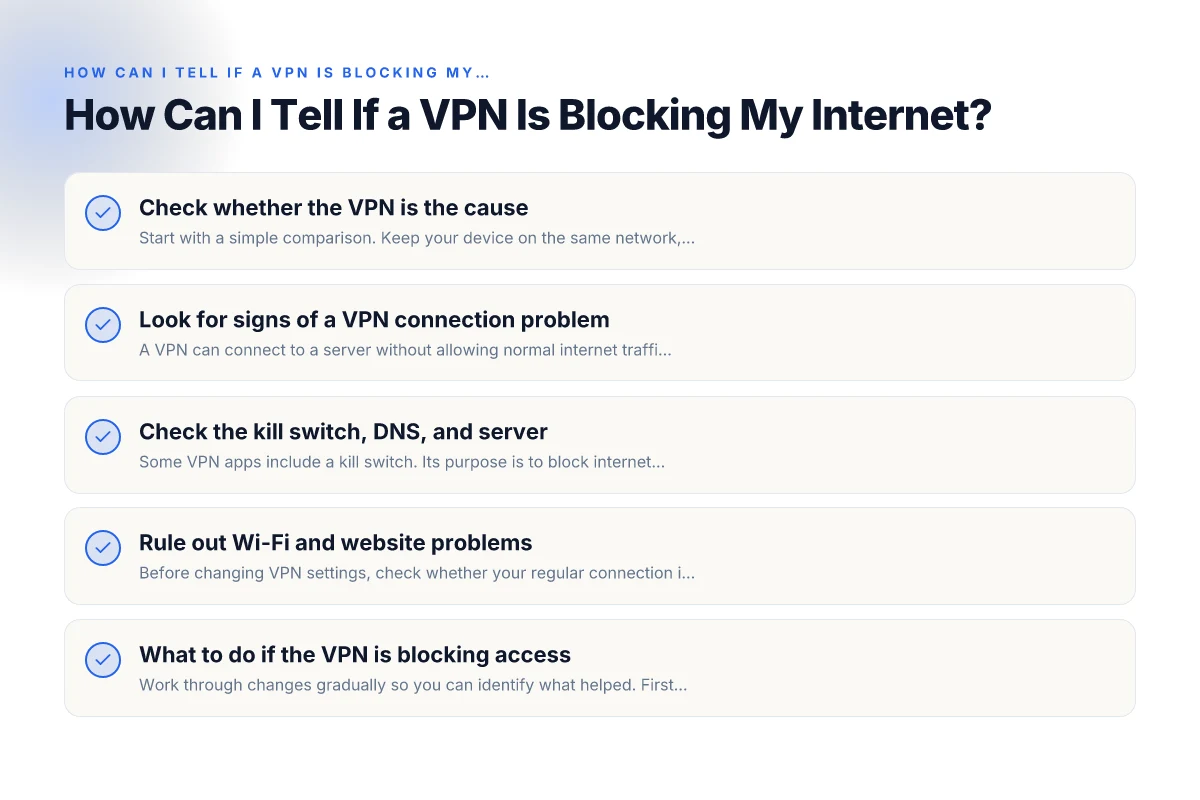
Look for signs of a VPN connection problem
A VPN can connect to a server without allowing normal internet traffic. You might see the VPN app report that it is connected while web pages time out, apps fail to refresh, or online services cannot sign in.
Check the VPN app for connection warnings, a failed connection message, or an option such as “reconnecting.” Also check your device’s network settings for an active VPN or proxy connection. On a PC, look under Wi-Fi or network settings. On a Mac, check the menu bar and network settings. On phones, look in the VPN section of the device’s settings or check the VPN app. NordVPN Windows: How to Download, Install, and Use It
Other clues include:
- The connection stops working immediately after you turn on the VPN.
- Access returns when you disconnect from the VPN.
- Switching VPN servers changes whether sites load.
- The problem affects several apps and websites, not just one.
- The VPN app shows a connection error or keeps trying to reconnect.
These are useful clues, not a diagnosis. A website may also block or limit traffic from VPN addresses, so a single site failing while everything else works does not necessarily mean the VPN is blocking your internet.
Check the kill switch, DNS, and server
Some VPN apps include a kill switch. Its purpose is to block internet traffic if the VPN connection drops, helping prevent your device from sending data outside the VPN tunnel. If the VPN disconnects unexpectedly, the kill switch may therefore make the internet appear completely unavailable.
If you suspect this, open the VPN app and check its connection status and kill-switch settings. You can briefly disable the kill switch to test whether it is causing the loss of access, but understand the trade-off: if the VPN drops, traffic may then use your regular connection. Turn the setting back on if you rely on it for privacy. Microsoft Edge Secure Network VPN Reviews: Is It Safe and Worth Using?
DNS settings can also interfere with access. DNS helps your device find websites by name. A VPN may use its own DNS service, and a connection or configuration problem can prevent websites from resolving even when the device otherwise has internet access.
Try these steps one at a time:
- Disconnect and reconnect the VPN.
- Choose another VPN server or location.
- Restart the VPN app.
- Check the app for updates and review its connection settings.
- Restart your device if the problem continues.
If changing servers fixes the issue, the original server may have had a temporary problem or may not work well with the service you were trying to reach.
Checks to isolate what is blocking access Nord VPN in China: Does It Work and How to Prepare
| Check | How to test | If it works | If it does not |
|---|---|---|---|
| Disconnect the VPN | Turn VPN off briefly | VPN may be causing the issue | Check Wi-Fi or internet service |
| Change VPN server | Connect to a different location | Original server may be the problem | Check other VPN settings |
| Change VPN protocol | Choose another protocol in the app | Current protocol may be blocked | Try another network |
| Check kill switch | Review VPN settings | Adjust it if it blocks traffic | Continue troubleshooting |
| Check DNS settings | Use automatic or trusted DNS | Custom DNS may be failing | Test another server |
| Open another website | Try a known working site | The original site may be unavailable | Check connection and VPN |
| Test another app or device | Compare access across apps or devices | Problem may be app-specific | Check router or provider |
| Try another network | Switch between Wi-Fi and mobile data | Original network may restrict VPN | Contact VPN support |
Compiled November 2026; check the provider's site for current details.
Rule out Wi-Fi and website problems
Before changing VPN settings, check whether your regular connection is working. Disconnect the VPN and load a few websites. If they still fail, reconnect to Wi-Fi, check your router, or test another device on the same network.
If the VPN works for most sites but one website or app fails, consider that service as a separate cause. It might be temporarily unavailable, restrict VPN traffic, or have trouble with the VPN server’s location. Try a different VPN server, and check whether the same service works with the VPN disconnected.
You can also compare networks. For example, if your device can use the VPN on another trusted connection but not on your current Wi-Fi, the problem may be specific to that network. Some networks restrict VPN connections. If you suspect that, check with the network administrator rather than trying to bypass a restriction you are not authorized to avoid. Does Microsoft Edge Have VPN? What Edge Secure Network Does
What to do if the VPN is blocking access
Work through changes gradually so you can identify what helped. First, reconnect to the VPN or select a different server. Next, restart the app and check its connection settings. If you test with the kill switch disabled, do so briefly and restore the setting afterward if you need its protection.
If you use a proxy as well as a VPN, check whether it is enabled and whether its settings are correct. A proxy can affect how traffic is routed, so an outdated or unwanted proxy configuration may also interrupt access. When unsure, refer to your device or VPN provider’s instructions rather than removing settings at random.
Contact the VPN provider if the problem happens repeatedly or only with its service. Share the device type, VPN app status, the servers you tested, and whether the internet works with the VPN disconnected. Do not share passwords or private account details in a public support forum.
What to try when a VPN blocks access Enable VPN in Edge: Turn On Microsoft Edge Secure Network
| Action | Best for | Possible result | Caution |
|---|---|---|---|
| Reconnect to the VPN | Temporary connection failures | Restores the tunnel | Access may still fail |
| Switch servers | Server-specific problems | May restore access | Nearby servers may perform better |
| Change VPN protocol | Network or protocol blocks | May connect successfully | Availability depends on the VPN |
| Review the kill switch | No internet after disconnects | May restore traffic when VPN drops | Disabling it reduces protection |
| Check DNS settings | Sites fail to resolve | May fix lookup problems | Use a trusted DNS provider |
| Restart the VPN app | App glitches | Refreshes the connection | Save any active work first |
| Restart the router | Wi-Fi or network trouble | May restore internet access | Other users may disconnect |
| Contact VPN support | Persistent VPN-specific issues | Provides service-specific guidance | Share only necessary diagnostics |
Compiled November 2026; check the provider's site for current details.
Recommendation
The quickest reliable check is to compare the same websites with the VPN on and off, then test another server. If only the VPN-on connection fails, review the app’s connection status and kill switch. If both tests fail, troubleshoot your regular network first. Keep privacy settings enabled when possible, and contact your VPN provider if the issue persists.
Aleks gizlilik araçları hakkında yazar.